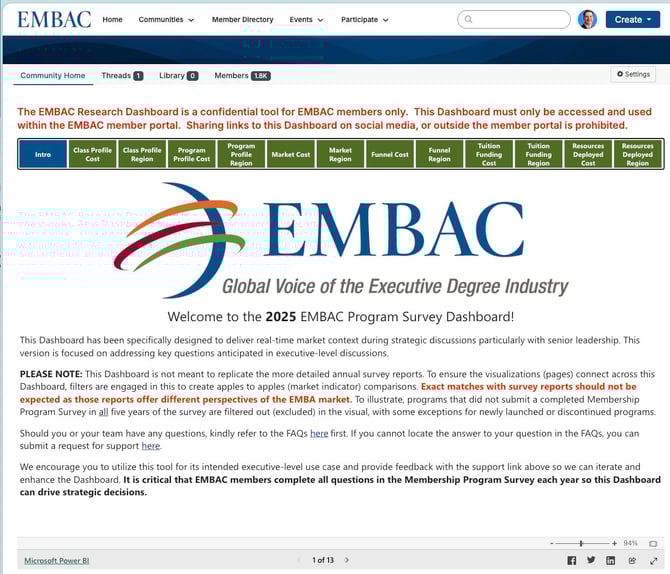
As of March 2026, EMBAC members can access the EMBAC Program Survey Dashboard through the EMBAC Connected Community: 👉 Research Dashboard Community Page
Access details
Percept Research continues to host the dashboard in Power BI, but it is now available as a public version. As a result, members no longer need to:
- Hold a Power BI Pro license
- Use Microsoft Authenticator
- Register for the EMBAC Entra ID Directory
To access the dashboard, you must have an active account in the EMBAC Connected Community.
If you need assistance with access, please contact Karen McLintock.
Survey participation
Beginning in 2026, EMBAC has relaxed the requirement that members complete the annual EMBAC Program Survey in order to access the Dashboard.
That said, the Dashboard displays only a subset of the metrics collected in the annual survey. This survey is the foundation for:
- The EMBAC Research Dashboard
- All EMBAC benchmarking reports available to members
For this reason, all members are strongly encouraged to complete the annual benchmarking survey each year.
The EMBAC Research Dashboard is a confidential tool for EMBAC members only. This Dashboard must only be accessed and used within the EMBAC Connected Community. Sharing links to this Dashboard on social media, or outside the member portal is prohibited.
Dashboards from previous years are not available once the current‑year Dashboard is published to the EMBAC Connected Community (typically by February of each year).
Need help?
If you have questions about using the Dashboard or participating in the annual benchmarking survey, please contact Percept Research here: 👉 https://link.bschoolresear.ch/EMBACsupport